
How to Choose the Right Accounting Software for Enterprise

Many enterprises still rely on spreadsheets and manual processes for accounting. Recent reports show that over 50% of financial teams spend extra hours each month reconciling data due to errors and missing information. Manual workflows slow month-end reporting and increase compliance risk.
Enterprise software for accounting solves these challenges. It automates repetitive tasks, ensures accurate reporting, and provides clear visibility across departments. Choosing the right software helps finance teams stay compliant, save time, and make better decisions.
This guide explains key benefits, features, and tips for selecting the right enterprise accounting software.
Key Benefits of Accounting Software for Enterprises
Modern enterprises face growing complexity in accounting. Manual processes slow teams and increase risk. Enterprise software for accounting solves these challenges. It improves accuracy, boosts efficiency, and provides real-time visibility. The following benefits show why implementing the right software is critical for finance teams.
1. Improved Accuracy and Efficiency
Enterprise software for accounting reduces manual errors in financial reporting and reconciliations. Teams can track transactions, monitor budgets, and generate reports quickly.
2. Time Savings Through Automation
Automation saves time and ensures compliance with modern accounting standards. Organizations can handle ASC 842 and IFRS 16 requirements without extra effort.
3. Clear Visibility Across Departments
Software provides clear visibility for procurement, accounting, and finance teams. Everyone accesses the same data, reducing miscommunication and delays.
4. Better Decision-Making
Modern enterprise accounting software delivers real-time insights into financial health. Leaders can plan investments, control costs, and make informed decisions effectively.
5. Enhanced Security and Compliance
Enterprise software protects sensitive financial data and ensures compliance with regulations. Built-in controls prevent unauthorized access, reduce fraud risk, and maintain audit readiness.
How to Choose a Suitable Accounting Software for Enterprises
Choosing the right enterprise software for accounting is critical. Many organizations struggle with manual processes, common errors, and compliance risks. Recent reports show that over 60% of finance teams face delays in month-end reporting due to missing or inconsistent data.
Picking the wrong software can cost time, create errors, and increase regulatory risk. Good software simplifies workflows, improves data accuracy, and gives teams real-time insights. It also supports compliance with rules like ASC 842 and IFRS 16.
Here’s what to look for when evaluating accounting software:
1. Automation Capabilities
Software should automate repetitive tasks like journal entries, reconciliations, and reporting. Automation reduces errors, speeds month-end close, and frees teams to focus on strategy. Tools like Black Owl Systems can automatically generate entries from lease or financial data, eliminating manual work.
2. Integration with Existing Systems
Enterprise accounting software must work with ERP, payroll, and procurement systems. Integration ensures consistent data across departments, prevents duplicate work, and improves visibility for leaders.
3. Real-Time Reporting and Analytics
Modern software provides dashboards and reports instantly. Finance leaders can track performance, monitor cash flow, and make informed decisions without waiting for manual updates. Real-time insights help spot issues early, like overdue payments or lease modifications.
4. Compliance and Audit Readiness
Accounting software should simplify compliance. It should track all transactions, maintain audit trails, and provide clear reporting formats. This reduces risk, supports ASC 842 and IFRS 16 compliance, and ensures teams can respond quickly to audits or regulatory changes.
5. User-Friendly Interface
Even powerful software fails if teams cannot use it effectively. Look for intuitive dashboards, easy navigation, and customizable workflows. Training should be simple so adoption is fast, and common errors stay low.
6. Scalability and Flexibility
Enterprise software should grow with your organization. It must handle increasing transaction volumes, new reporting requirements, and additional users without slowing down. Flexible systems allow teams to adjust workflows and reporting as business needs change.
7. Data Security
Financial data is sensitive. Software must offer strong security features, including access controls, encryption, and regular backups. Protecting data reduces the risk of fraud or breaches.
When making your choice, keep the following things in mind:
- Define team needs first. Identify pain points in workflows, reporting, and compliance.
- Compare multiple solutions. Evaluate features, integration, support, and cost.
- Ask for demos and trials. Test software with real data and workflows before committing.
- Check customer reviews and case studies. Learn how software performs in real organizations.
- Adoption plan. Ensure training, support, and clear workflows are ready.
Choosing the right software transforms finance operations. Teams work faster, make fewer errors, and stay compliant. Solutions like Black Owl Systems provide automation, integration, and real-time insights tailored to modern accounting needs. Selecting software carefully ensures long-term efficiency and accurate financial management.
Modern Accounting Made Simple with Black Owl Systems
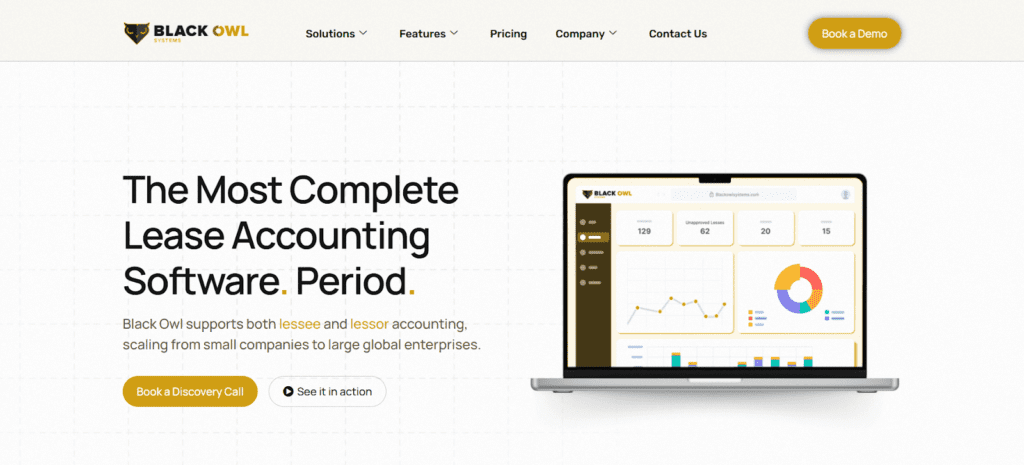
The right enterprise software for accounting turns complex finance tasks into smooth, reliable processes. Teams can close books faster, track financial performance in real time, and stay compliant with ASC 842 and IFRS 16.
Seamless integration with ERP, procurement, and payroll keeps data consistent across departments and prevents delays.
See it in action: explore a demo of Black Owl Systems to streamline accounting, cut manual work, and make reporting effortless.
FAQs
Which software is best for accounting?
The best software depends on your team’s size, workflows, and compliance needs. Enterprise software for accounting should automate tasks, provide real-time reports, and integrate with ERP and payroll systems.
What to look for in accounting software?
Focus on automation, reporting accuracy, scalability, and integration with other business systems. Security and audit-ready features are essential for sensitive financial data.
Which accounting software should I use?
Choose software that fits your business processes, supports compliance standards, and offers real-time visibility. Test solutions with actual data to ensure usability and performance.
How can accounting software improve financial planning?
Enterprise software consolidates data across departments, giving finance teams clear insights into cash flow, expenses, and budgets. Accurate, up-to-date information helps leaders make better investment and cost-control decisions.
Can automation reduce audit risks?
Yes. Software that automates data collection, reconciliations, and reporting ensures accurate, traceable records. This reduces human errors, strengthens internal controls, and makes audits faster and easier. Solutions like Black Owl Systems provide audit-ready entries and integration for smooth compliance.

Greg Kautz
Greg Kautz, CPA, CMA is a seasoned management consultant and professional accountant with over 40 years of experience in the consulting and energy sectors. At Black Owl Systems, Greg brings deep expertise in ERP systems, corporate finance, strategic planning, and technology integration.
